MyPrevea login portal is a convenient, secure, and confidential online resource that gives you access to your personal health information anytime, anywhere. Using MyPrevea, you can:
- Schedule a COVID-19 test
- Schedule a COVID-19 vaccine
- View your health summary, current medications, and test results
- Exchange secure messages with your care team
- Request appointments and prescription refills
- Track your immunization history
- Pay a Prevea Health bill
- Obtain a price estimate
- Manage your family’s health care with MyPrevea Proxy Access*
- Use the eCheck-in feature to preregister for a scheduled appointment
- Sign up and manage text alerts
MyPrevea Account Security Measures
Prevea takes the security of your protected health information (PHI) very seriously. MyPrevea employs several robust security measures:
Your Role in Security: You must keep your login information private, log out after each session, and use a device that is protected with up-to-date antivirus software.
Encryption: All data transmitted between your device and the MyPrevea portal is encrypted, meaning it is scrambled and unreadable to anyone without authorization.
Secure Login Credentials: You are required to create a unique username and a strong, confidential password that should not be shared with anyone.
Authentication: The use of security questions and, in some cases, multi-factor authentication adds an extra layer of protection to verify your identity.
Automatic Logout: For your safety, the portal will automatically log you out after a period of inactivity, which helps prevent unauthorized access if you step away from your computer or device.
MyPrevea Login
To log in to your account, you need access to a computer or mobile device connected to the Internet and an up-to-date browser (such as Edge, Chrome, Firefox, or Safari). You can also use the MyChart mobile app on a mobile device.
New Users: If you are a new user, there are several different methods to sign up for MyPrevea that might be used by different departments across your healthcare organization:
- Clinic staff might sign you up directly while you’re at the front desk or in the exam room.
- You might receive a MyChart activation code on your After Visit Summary or on a billing statement.
- You might receive a text message or email with an activation code when you come in for a visit.
- You might be able to use self-signup online to create a MyPrevea account by matching your information against what is on file in your medical record or with third-party identity verification.
Returning Users: If you remain idle for 10 minutes or more after you log in to MyChart, you will be automatically logged out.
We recommend that you log out of MyChart if you need to leave your computer for even a short period of time. If you are a returning user, follow the steps below to log in to your account.
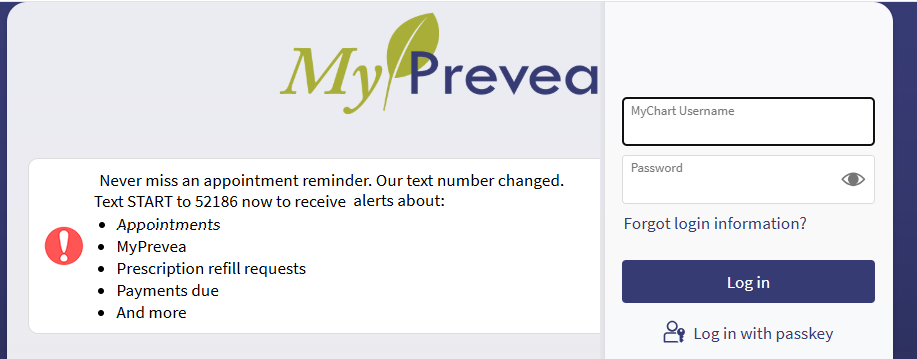
- Copy myprevea.com/MyPrevea/Authentication/Login? into your browser and launch it. (See supported browsers above)
- Enter your MyChart Username
- Enter your Password and click Log in
On the Personal Information page in MyChart, you can update your address, phone number, email address, preferred name, and other personal details at any time so that your clinic always has the most up-to-date information in your record.
MyPrevea App Login
MyPrevea App is built with many features, it give you secure access to your personal health information anytime, anywhere.
You can further enhance your MyPrevea experience by downloading the MyPrevea app for your Android or iOS device.
How to Contact Prevea Health
Your input is important and helps us to continue to provide you with superior health care services. If you have a question or would like to comment, use the general contact information below.
By Phone
Medical emergencies: Dial 911
- Call (920) 496-4700 or (888) 277-3832 and ask to speak with a registered nurse.
- Call (920) 496-4775 for billing questions
- Call (920) 429-1720 for comments about a recent experience at one of our health centers (request the Risk Management Department)
By Mail
Prevea Health
P.O. Box 19070
Green Bay, WI 54307